Which Smart Upgrades Actually Change a Bill

Smart home devices cut utility bills only when they control something that uses a lot of energy or water — heating, cooling, water heating and irrigation — or when they help you find waste you can eliminate; devices that merely add remote control often change convenience more than cost. ENERGY STAR notes that for the average American household, almost half of the annual energy bill goes to heating and cooling, which it puts at more than $900 a year (ENERGY STAR, Smart Thermostats). That is why the upgrades below are ranked by how directly they control the biggest loads. Savings depend on your home, climate, equipment and habits, so treat any device as a tool rather than a guarantee.
1. A Certified Smart Thermostat
ENERGY STAR describes a smart thermostat as a Wi-Fi enabled device that automatically adjusts heating and cooling settings, and says certified models have been independently certified, based on actual field data, to deliver energy savings. Features it highlights include learning your preferences to set back temperatures when you are asleep or away, geofencing that detects when you leave or return, remote control from a phone, usage reports and software updates. Before buying, ENERGY STAR advises confirming compatibility with your heating and cooling system and keeping the thermostat within good Wi-Fi range. Some utilities offer programs or incentives for certified thermostats; check with yours.
2. Water Heater Controls

Water heating is often one of the larger energy uses in a home. Timers or smart controllers for electric water heaters, and the scheduling modes built into many heat-pump water heaters, can avoid heating water when no one needs it and may let you take advantage of time-of-use electricity rates where your utility offers them. Check with the manufacturer about compatibility and safety before adding controls.
3. Smart Irrigation Controllers
For homes with lawns or gardens, outdoor watering can be a major part of the water bill in dry seasons. Weather-based or soil-moisture irrigation controllers skip watering after rain and adjust schedules to conditions. Look for controllers that carry the EPA WaterSense label and check whether your water utility offers rebates.
4. Energy Monitors
Whole-home energy monitors and utility smart-meter data show when and where electricity is used. They do not save anything on their own, but they help you spot waste — an old refrigerator in the garage, equipment running all night, or a heating system cycling too often — so you can act on the biggest items first.
5. Smart Plugs and Power Strips
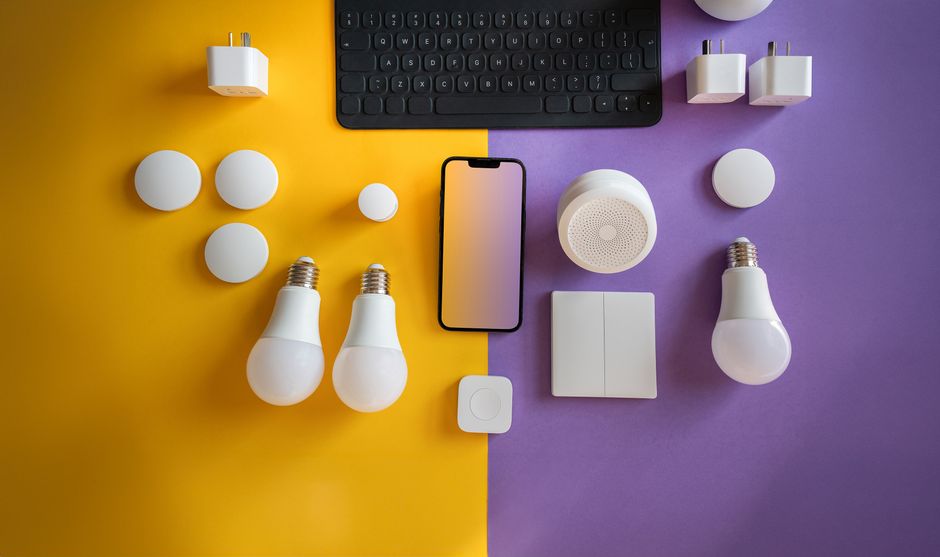
Smart plugs and advanced power strips can cut standby power from entertainment centers, office equipment and chargers by switching them fully off on a schedule. The savings per device are usually small, so they work best on clusters of electronics that are left on for long periods. Avoid using them on equipment that needs constant power, such as some medical devices or network gear.
6. Lighting Controls
LED bulbs use far less energy than incandescent ones; that switch, not the "smart" feature, delivers most lighting savings. Smart switches, occupancy sensors and schedules add a little more by turning lights off in empty rooms, and are most useful in spaces where lights are often left on.
7. Leak Sensors and Automatic Shut-Off Valves
Water-leak sensors under sinks, near water heaters and by washing machines alert you to leaks early, and automatic shut-off valves can stop water flow when a leak is detected. Their main value is preventing costly damage rather than lowering the monthly bill, and some insurers offer discounts for them.

Upgrades Ranked by Bill Impact
| Upgrade | What it controls | Typical impact |
|---|---|---|
| Certified smart thermostat | Heating and cooling | Largest potential, depends on habits and climate |
| Water heater controls | Water heating | Moderate, especially with time-of-use rates |
| Smart irrigation | Outdoor water | Significant where lawns are watered |
| Energy monitor | Information only | Indirect — reveals waste |
| Smart plugs and strips | Standby power | Small per device |
| Lighting controls | Lights | Small after switching to LEDs |
| Leak sensors and shut-offs | Water damage risk | Prevents large losses |
Before You Buy
- Check your utility's website for rebates, time-of-use rates and thermostat programs.
- Confirm compatibility with your HVAC system, water heater or irrigation valves.
- Consider privacy and security: change default passwords, update firmware and review what data devices share.
- Start with no-cost steps such as adjusting thermostat schedules and fixing leaks.
No-Cost Steps That Multiply Device Savings
Devices work best alongside habits. A smart thermostat saves little if its schedule keeps the house at the same temperature all day, and leak sensors help only if someone responds to alerts. Before and after installing devices, check simple things: seal drafts around doors and windows, replace HVAC filters on schedule, set the water heater to a moderate temperature as the manufacturer recommends, fix dripping faucets and running toilets, and run dishwashers and washing machines with full loads. These steps cost little or nothing and make every smart device more effective.
Using Time-of-Use Rates
Some utilities charge different prices for electricity at different times of day. If yours does, smart devices can shift flexible loads — water heating, dishwashers, electric vehicle charging, pool pumps — to cheaper hours automatically. Check your utility's rate options and compare your past usage before switching plans, because time-of-use rates can raise bills for households that cannot shift their usage.
Measuring Results
To see whether an upgrade worked, compare bills for the same months year over year, since weather affects usage. Many utilities provide online usage charts by day or hour, which make it easier to see the effect of a new thermostat schedule or a water heater timer.
Frequently Asked Questions
Which smart device saves the most money?
For most homes, a certified smart thermostat, because heating and cooling make up the largest share of energy use, according to ENERGY STAR.
Do smart plugs save money?
A little, mainly on electronics that draw standby power for long periods. They are not a major savings tool on their own.
Are smart homes secure?
They can be if you use strong passwords, keep firmware updated and buy from manufacturers that provide security updates.
Do utilities offer rebates?
Many do for certified thermostats, efficient water heaters and WaterSense irrigation controllers. Check your utility's programs.
Key Takeaways
- Upgrades that control heating, cooling, water heating and irrigation have the most bill impact.
- Choose ENERGY STAR certified thermostats and WaterSense irrigation controllers.
- Monitors and plugs help find and trim waste; LEDs do most of the lighting savings.
- Check utility rebates and device compatibility first.
Sources and References
- ENERGY STAR (U.S. EPA and DOE), Smart Thermostats — almost half of the annual energy bill, more than $900 a year (read October 9, 2026).