How to Compare Robot Vacuums in 2026
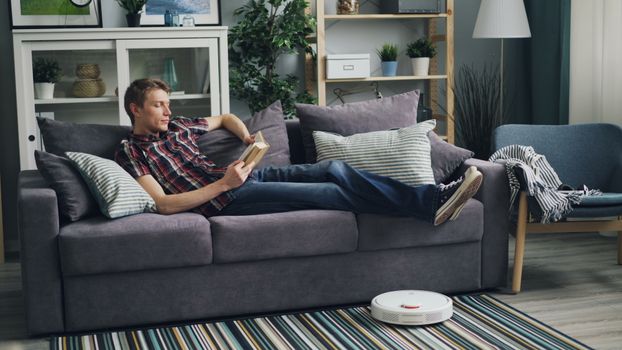
The best robot vacuum for a home is the one whose navigation, cleaning system and dock match the floors, layout and mess in that home, not the one with the biggest number on the box. Specifications such as suction "Pa" ratings and battery minutes are measured by each manufacturer in its own way, and prices change constantly with sales and new models, so this guide does not rank models or quote spec-sheet figures. Instead it explains what each feature does, what to look for in independent reviews and owner feedback, and how to estimate the real running costs before you buy.
How Much Do Robot Vacuums Cost in 2026?
Robot vacuums range from basic models that bump and turn to flagship units with self-emptying, mop-washing docks. The price mostly tracks three things: how the robot navigates, whether it mops, and how much the dock does for you. Rather than starting from a budget figure, decide which of those you need, then compare current prices for models that have them. Prices drop sharply during sales events and when a new model replaces an old one, so last year's flagship can be good value.
Also count the running costs: replacement filters, brushes, mop pads, dust bags for self-emptying docks, and cleaning solution for mopping docks. Manufacturers list replacement intervals and part prices on their accessory pages; multiply them out for a year before comparing models.
Suction Power and Cleaning Performance
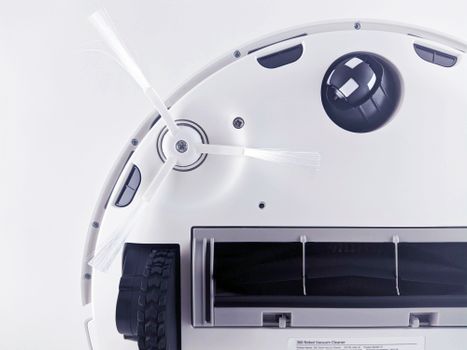
Suction ratings are useful only when comparing models from the same manufacturer, because test methods differ between brands. Cleaning results depend just as much on the brush design and how well the robot seals against the floor. What to check:
- Brush type. Rubber or tangle-resistant rollers handle long hair and pet hair with less maintenance than bristle brushes.
- Carpet handling. Look for automatic suction boost on carpet and, if you mop, whether the mop lifts or the robot avoids carpet while mopping.
- Edges and corners. Side brushes and robot shape affect how well it cleans along walls.
- Independent tests. Reviews that measure pickup of standardized debris on both hard floors and carpet are more useful than spec sheets.
Navigation and Obstacle Avoidance Technology
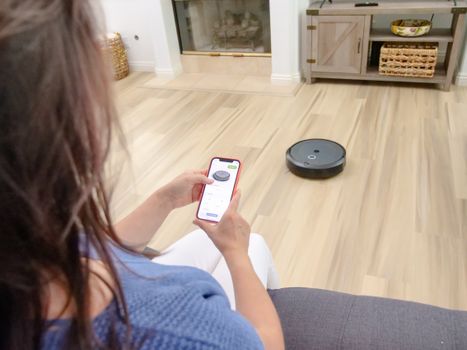
Navigation decides whether the robot cleans the whole home efficiently or wanders. Lidar and camera-based mapping let a robot build a map, clean room by room, and respect no-go zones you draw in the app. Front obstacle detection, using cameras or structured light, helps it steer around cables, socks and pet waste. Detection is not perfect and depends on lighting and floor colour, so a quick tidy before each run still helps. Some manufacturers offer a pet-waste guarantee that replaces the robot if it runs over waste; read the eligible models, conditions and claim window on the manufacturer's own page before relying on it.
If your home has several floors, check how many maps the robot can store and whether you can carry the dock or need a second one. For thresholds and thick rugs, look for the maximum obstacle height the manufacturer lists, and read owner reviews from homes like yours.
Base Station Automation and Maintenance Requirements
- Self-emptying dock. Empties the robot's bin into a larger bag or bin so you empty it less often. Check whether it uses disposable bags and what they cost.
- Mop-washing dock. Washes and dries mop pads and refills the robot's water tank. It needs clean and dirty water tanks that you fill and empty, unless a plumbing kit is offered for your model.
- Noise. Self-emptying is loud for a few seconds; check reviews if the dock will be near a bedroom.
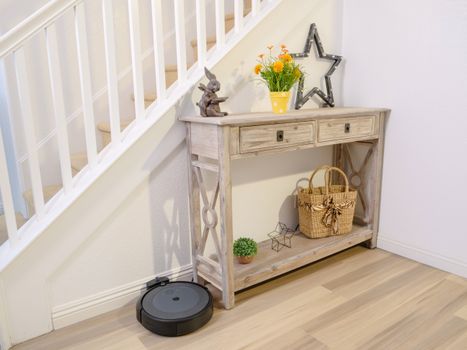
- Space. Docks need clearance on each side and in front; check the manual for the space required.
Even with a full-featured dock you will still need to clean the brush roll, sensors and wheels from time to time and replace filters and pads. The manual lists the schedule.
Comparison
| Feature | Basic robot | Mid-range robot | Flagship robot with full dock |
|---|---|---|---|
| Navigation | Random or gyroscope-based | Lidar or camera mapping | Mapping plus front obstacle recognition |
| Room-by-room control | No | Usually yes | Yes, with no-go zones |
| Mopping | No or basic pad | Often a basic mop | Lifting or rotating mops; dock washes pads |
| Dock | Charging only | Charging, sometimes self-emptying | Self-emptying, mop washing and drying |
| Ongoing costs to check | Filters, brushes | Filters, brushes, dust bags | Filters, brushes, bags, pads, solution |
Cost Checklist
- Current price of the models that have the features you need.
- Replacement filter, brush and side-brush prices and intervals.
- Dust bag and mop pad prices, if the dock uses them.
- Cleaning solution requirements for mopping docks.
- Battery replacement availability and price.
- Warranty length and what it covers.
Privacy and App Settings
Mapping robots store a floor plan of your home, and camera-equipped models capture images of their surroundings to recognize obstacles. Before buying, read the manufacturer's privacy policy for what is stored, whether images leave the device, and how to delete maps and recordings. After setup, review the app permissions, turn off features you do not use such as remote camera viewing, set a strong account password with two-factor sign-in if offered, and keep the robot's firmware updated. If you would rather not have a camera in the home, choose a model that uses lidar or structured light without a camera, and check that it still offers the obstacle avoidance you need.
Questions to Ask Before Buying
- Will it fit under your furniture? Measure the gap under sofas and beds and compare it with the robot's listed height.
- Can it cross your thresholds and rugs?
- Does it need a phone app and an account to work, and does the app work without a cloud connection?
- How long will the manufacturer supply parts and software updates?
- What is the return period if it does not suit your home?
How often should robot vacuum filters be replaced?
Follow the schedule in the manual; it varies by model and how often you run the robot. Replace filters sooner if suction drops or the filter looks clogged.
Do robot vacuum docks require special plumbing connections?
Most mopping docks use refillable tanks. Some models offer an optional plumbing kit; check the manufacturer's installation requirements.
Can robot vacuums clean multiple floors in a multi-story home?
Many mapping robots store several maps. You carry the robot between floors or buy an extra dock; check how many maps the model supports.
What happens if a robot vacuum encounters pet waste?
Models with front obstacle recognition try to avoid it, but detection is not perfect. Pick up before running the robot when possible, and read any manufacturer guarantee carefully.
How long do robot vacuum batteries last before replacement?
Battery life declines with use. Check whether the battery is user-replaceable and whether the manufacturer sells replacements.
Are robot vacuums safe on hardwood floors?
Generally yes. Use the mopping water settings recommended for sealed hardwood and keep wheels and brushes clean to avoid scratches from trapped grit.
Key Takeaways
- Choose navigation, mopping and dock features based on your floors and layout.
- Compare suction numbers only within one brand; rely on independent pickup tests across brands.
- Count a year of replacement parts and consumables before comparing prices.
- Check fit under furniture, threshold height and app requirements before buying.