What You Can Expect From a Dash Cam Under 100 Dollars
A budget dash cam can reliably do the one job that matters most — record clear daytime footage of the road ahead and save it automatically when something happens — but the differences between models show up at night, in heat, and in how well they handle storage. Prices for the same model move often with sales and new releases, so this guide does not list prices or rank brands. Instead, it explains which specifications matter under 100 dollars, which marketing claims to ignore, how to install and maintain a camera, and the legal points to check before you mount one.
The Specifications That Matter
- Image sensor and real resolution. A good sensor matters more than the headline resolution. Look for sample footage — ideally independent reviews with unedited clips — showing whether license plates are readable at a distance, in daylight and at night.
- Night performance. Many budget cameras look fine by day and struggle after dark. Check night samples with headlights and street lights in view.
- Field of view. Wider views capture more lanes but can distort the edges and make distant details smaller. A moderately wide view is usually a good balance.
- Loop recording and G-sensor. Loop recording overwrites the oldest files when the card fills; a G-sensor locks the current clip when it detects a collision so it is not overwritten.
- Heat tolerance and power source. Cameras powered by a supercapacitor generally tolerate a hot parked car better than those with built-in lithium batteries. Check the stated operating temperature range.
- Storage support. Note the maximum card size and the recommended card type; high-endurance cards are designed for constant rewriting.
Features That Are Nice but Optional
- Rear or cabin camera: useful for rideshare drivers or rear-end incidents; budget dual-camera kits may compromise image quality on one or both channels.
- GPS logging: records speed and location, which can help reconstruct an incident.
- Wi-Fi and app: lets you download clips to your phone without removing the card.
- Parking mode: records while parked, usually requiring a hardwire kit connected to the fuse box; check how it protects your car battery from draining.
- Voice control and driver alerts: convenient, but not essential for recording evidence.
Claims to Treat With Caution
- Resolution numbers that are interpolated rather than recorded natively.
- "Night vision" without sample footage to back it up.
- Very wide angles marketed as "captures everything."
- Unknown brands with no firmware updates or support.
Independent reviews and sample videos are a better guide than spec sheets.
Installation and Setup
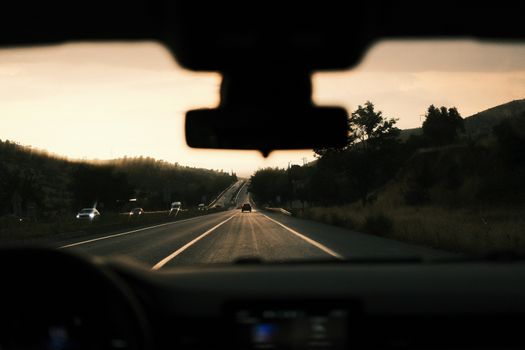
- Placement: mount the camera behind the rear-view mirror so it records through the area swept by the wipers and does not block your view.
- Cable routing: tuck the power cable along the headliner and pillar trim, keeping clear of airbags.
- Power: use the included adapter or a hardwire kit for parking mode; a professional installer can do the hardwiring.
- Settings: set the date and time correctly, choose loop length, set G-sensor sensitivity so normal bumps do not lock every clip, and turn on any audio recording only if lawful where you drive.
- Test: drive, then review footage day and night to confirm plates and signs are legible.
Legal Points to Check
Rules differ by state and country. Some places restrict where devices can be mounted on a windshield. Recording audio of passengers may require their consent under local law. If you drive for a rideshare service, check its policy and tell passengers if required. When in doubt, look up your state's rules on windshield obstructions and recording.
Keeping Footage Useful
- Format the memory card periodically in the camera, as the manufacturer recommends.
- Replace cards that show errors; constant writing wears them out.
- After an incident, save the clip to your phone or computer promptly and keep the original file unedited.
- Check for firmware updates from the manufacturer.
Can a Dash Cam Lower Insurance Costs?
Footage can help establish what happened in a collision, which may help with a claim. Whether it affects your premium depends on your insurer; some offer discounts for safety devices and many do not. Ask your insurer rather than assuming.
Budget Dash Cam Checklist
| Check | Why it matters |
|---|---|
| Independent day and night sample footage | Shows real image quality |
| Loop recording and G-sensor | Saves incident clips automatically |
| Supercapacitor or wide operating temperature range | Survives hot parked cars |
| Supported card size and high-endurance card | Reliable continuous recording |
| Firmware updates and support | Fixes bugs over time |
| Mounting and recording rules where you drive | Keeps use legal |
Front-Only vs. Dual-Channel Kits
At the budget end of the market, a front-only camera usually delivers better image quality for the money than a dual-channel kit, because the whole budget goes into one lens and sensor. Dual-channel kits add a rear camera, which helps with rear-end collisions and parking incidents, but cheaper kits sometimes record the rear channel at lower quality or have more complex wiring. If you mostly worry about who caused a crash ahead of you, a strong front camera is the better first purchase; you can add a rear camera later.
Memory Cards: The Overlooked Part
Dash cams write video continuously, which wears out ordinary memory cards much faster than cameras or phones do. A failed card often means no footage when you need it. Use a card designed for continuous recording (often labeled high endurance), stay within the camera's supported capacity, and format the card in the camera periodically. Some cameras warn you when a card has problems; take those warnings seriously and replace the card.
Checking Footage Quality After Installation
After installing, record a short drive in daylight and at night. Pause the footage when a car passes in the next lane and when you are stopped behind another vehicle, and check whether the license plate is readable. Look for glare from the dashboard reflecting on the windshield; a dark mat on the dash or a polarizing filter, if the camera supports one, can reduce it. Adjust the camera angle so the road fills most of the frame and the hood takes up only a thin strip at the bottom.
Frequently Asked Questions
Is a cheap dash cam good enough?
For recording daytime incidents, many budget models are. Night clarity and heat durability are where cheaper models most often fall short.
Do I need a rear camera?
It helps document rear-end collisions and is useful for rideshare drivers, but a good front camera is the priority.
Will parking mode drain my battery?
It can. Hardwire kits with low-voltage cutoff help protect the battery; follow the installation instructions.
How long does footage last?
Loop recording keeps the most recent hours depending on card size and settings; locked incident clips are kept until you delete them.
Key Takeaways
- Judge cameras by sample footage, especially at night.
- Insist on loop recording, a G-sensor and heat tolerance.
- Use a high-endurance card and maintain it.
- Check local rules on mounting and audio recording.