On this page (9 sections)
- EV Charging Card Comparison 2026: How the Networks Charge
- How Much Do EV Charging Memberships Cost in 2026?
- What Are the Network Coverage and Roaming Fees?
- How Do Charging Speeds Affect What You Pay?
- Which Charging Level Are You Paying For?
- Comparison
- Cost Checklist
- Practical Tips for Lower Charging Costs
- Sources and References
EV Charging Card Comparison 2026: How the Networks Charge
Choosing an EV charging card or app in 2026 comes down to four things: which networks you actually use, how each one prices a session (per kWh, per minute, or with session and idle fees), whether a monthly membership lowers your price enough to pay for itself, and what roaming costs when you use a partner network. The big U.S. public networks, including Electrify America, EVgo, ChargePoint and Tesla's Supercharger network, all show live prices in their apps and on the charger screen, and those prices vary by location and time. This comparison therefore explains how each pricing model works and how to check today's figures yourself, rather than printing a price table that would be out of date within weeks.
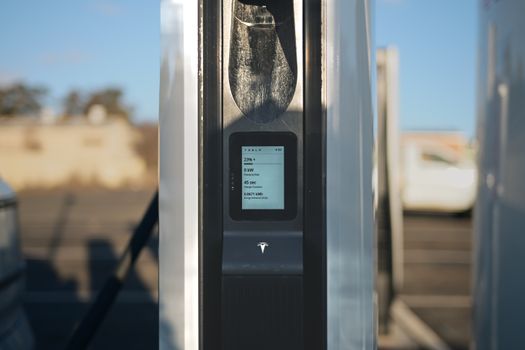
Most networks let you start a session with a smartphone app, a physical RFID card, or, at some stations, a credit card at the charger. The app is usually where membership plans, receipts and live prices live; a card is a backup for places with poor phone signal. Plug type matters too: check that the station has the connector your vehicle uses (CCS1, NACS or CHAdeMO) or that you carry the right adapter.
How Much Do EV Charging Memberships Cost in 2026?
Electrify America. Electrify America offers a free Pass membership and a paid Pass+ membership. Its pricing page says Pass+ members save about 25% on charging, and that real-time prices are shown in the app or on the charger before you start; DC fast charging prices depend on charger location, your plan and the energy delivered (Electrify America, Pricing, as of 2026-10-09). The monthly Pass+ fee and the per-kWh price for your area are shown in the app when you sign up, so read them there.
EVgo. EVgo offers pay-as-you-go charging and optional membership plans with lower session prices for members. Plan names, monthly fees and discounts change; check the current plan list in the EVgo app or on its pricing page before subscribing.
ChargePoint. ChargePoint runs a large network of stations owned by businesses, cities and property managers, and the price at each station is set by the station owner. That is why ChargePoint fees vary so much from one location to the next: some stations are free, some charge per hour, and some per kWh. The ChargePoint app shows the price for each station before you plug in.
Tesla Superchargers. Many Supercharger sites are open to non-Tesla vehicles through the Tesla app, with prices shown per site; some sites offer a membership with lower prices. Check the app for the site you plan to use.
Does a membership pay off?
Use this quick test with the numbers from the app: divide the monthly fee by the member discount per kWh. The result is the number of kWh you need to charge on that network each month before the plan breaks even. If you charge more than that, the plan saves money; if not, pay as you go. For example, a hypothetical plan costing $5 a month with a 10-cent-per-kWh discount breaks even at 50 kWh a month. Recheck the figures every few months, because both the fee and the discount can change.
Membership break-even calculator
Type the numbers the network’s app shows you today. Nothing is pre-filled because prices change by station and month.
Ignores session and idle fees, which apply to members and guests alike on most networks — add them yourself if a plan waives them. The example prices in the boxes are placeholders, not quotes.
What Are the Network Coverage and Roaming Fees?
Roaming lets one network's card or app start sessions on a partner's chargers. It is convenient, but the price on a partner network can be higher than the host network's own price, and some providers add a roaming fee per session. The app shows the price before you confirm. If you regularly use two networks, holding the native app for each usually costs less than relying on roaming.
Coverage differs a lot between cities and rural highways. Before a long trip, plan stops in a route planner or the network apps, check recent user check-ins for reliability, and identify a backup station from a different network for each leg. No single card guarantees access to every charger on a route.
How Do Charging Speeds Affect What You Pay?
Networks price sessions in three common ways:
- Per kWh: you pay for the energy delivered. This is the easiest to compare and the fairest when your car charges slowly.
- Per minute: you pay for time connected, sometimes in tiers based on the power your car can accept. Cars that charge slowly, or a battery that is nearly full, pay more per kWh under this model.
- Session and idle fees: some networks add a fee to start a session, and many charge idle fees if the car stays plugged in after charging ends. The charger screen and app show these before you start.
Charging speed drops as the battery fills, so on a DC fast charger it often makes sense to stop at the point where your car's charging slows sharply and continue at the next stop, especially under per-minute pricing or when others are waiting.
Which Charging Level Are You Paying For?
Price per kWh only means something next to how fast the energy arrives. The U.S. Department of Energy’s Alternative Fuels Data Center describes the three levels like this:
| Level | Supply | Power | Range added (approx.) | Where networks use it |
|---|---|---|---|---|
| Level 1 | 120 V AC plug | 1.9 kW assumed | ~5 miles per hour of charging | Home outlet; rarely a paid public port |
| Level 2 | 240 V (homes) or 208 V (commercial) | 2.9–19.2 kW | ~25 miles per hour of charging | Workplace, retail, destination — most ChargePoint stations |
| DC fast | DC | Up to 500 kW | ~100–200+ miles per 30 minutes | Highway sites: Electrify America, EVgo, Tesla Superchargers |
That is why per-minute pricing hurts slow-charging cars most: on a Level 2 port or a car that accepts little power, each paid minute delivers fewer kWh.
Comparison
| Feature | Electrify America | EVgo | ChargePoint | Tesla Supercharger |
|---|---|---|---|---|
| Who sets the price | The network; depends on charger location and your plan (EA) | Shown per station in the app | Each station owner (ChargePoint: “each station owner or roaming partner decides”) | Shown per site in the Tesla app |
| Membership | Free Pass; paid Pass+ (about 25% savings, per EA) | Pay-as-you-go plus optional plans | No network-wide plan; prices set per station | Pay per site; optional membership at some sites |
| Where to see today's price | App or charger screen | App or pricing page | App, per station | Tesla app, per site |
| Idle fees | May apply after charging ends; shown on charger and app | Check app | Set by station owner | Check app |
| Typical use | Highway DC fast charging | Urban and suburban DC fast charging | Workplace, retail and destination Level 2, plus some DC fast | Highway DC fast charging |
| Start a session | App, card or credit card at some chargers | App or card | App or card | Tesla app |
Fill in the current fees for your area from each app on the same day before deciding. A network that is closest to your home and commute often matters more than a small price difference.
Cost Checklist
- Price per kWh or per minute at the stations you use most, from the app.
- Monthly membership fee and member discount, and the break-even kWh.
- Session fees and idle fees, and the grace period before idle fees start.
- Roaming price when using a partner network.
- Any fee for a replacement RFID card.
- Your home electricity rate, from your utility bill, for comparison with public charging.
Practical Tips for Lower Charging Costs
- Charge at home or work where you can; public DC fast charging is usually the most expensive way to add range.
- Look for time-of-use pricing on public networks and at home, and charge in cheaper periods when possible.
- Move the car promptly when charging finishes to avoid idle fees.
- Keep receipts in the app for business mileage or expense claims.
- Recheck memberships when your driving changes, such as after a move or a new commute.
Can I use one charging card across all public networks?
No single card or app covers every public charger. Roaming partnerships extend coverage, but partner prices can be higher. Holding the native app for the one or two networks you use most is usually cheaper.
Do RFID charging cards expire?
Card and account rules differ by network; check the account terms in the app, including what happens to inactive accounts.
How long does a physical charging card take to arrive?
Delivery times depend on the network. Most networks let you start sessions in the app while you wait for a card.
Are charging memberships worth it?
Only if you charge enough on that network. Divide the monthly fee by the per-kWh discount shown in the app to find your break-even energy use.
Why are ChargePoint fees different at each station?
Because station owners set the prices at ChargePoint stations. Check the price in the app before you plug in.
Sources and References
- Electrify America, Pricing — Pass+ savings of about 25%; prices shown in the app and on the charger; idle fees may apply (as of 2026-10-09).
- ChargePoint, Who sets prices for charging? — each station owner or roaming partner sets the price; hosts may bill by kWh, by the hour, per session, with idle or tiered fees (as of 2026-10-09).
- U.S. Department of Energy, Alternative Fuels Data Center, Developing Infrastructure to Charge Electric Vehicles — Level 1, Level 2 and DC fast charging voltages, power and approximate range (as of 2026-10-09).